
Column Masks
A column_mask policy replaces a column's value with a SQL expression at query time. The column remains queryable (usable in JOINs, WHERE, GROUP BY) but the value the user sees is the masked version. Use masks when you want to preserve the column's utility while hiding the raw data.
Purpose and when to use
Use column masks for PII redaction (SSNs, emails, phone numbers), financial data obfuscation (salaries, costs), or any scenario where the column must remain in the schema but the raw value should not be visible.
If the column should not exist at all, use column_deny instead.
Field reference
| Field | Value | Notes |
|---|---|---|
policy_type | column_mask | |
targets.schemas | Required | Which schemas to match |
targets.tables | Required | Which tables to match |
targets.columns | Required | Exactly one column per target entry |
definition.mask_expression | Required | SQL expression that produces the masked value. Can reference the original column and {user.KEY} template variables. |
Step-by-step tutorial
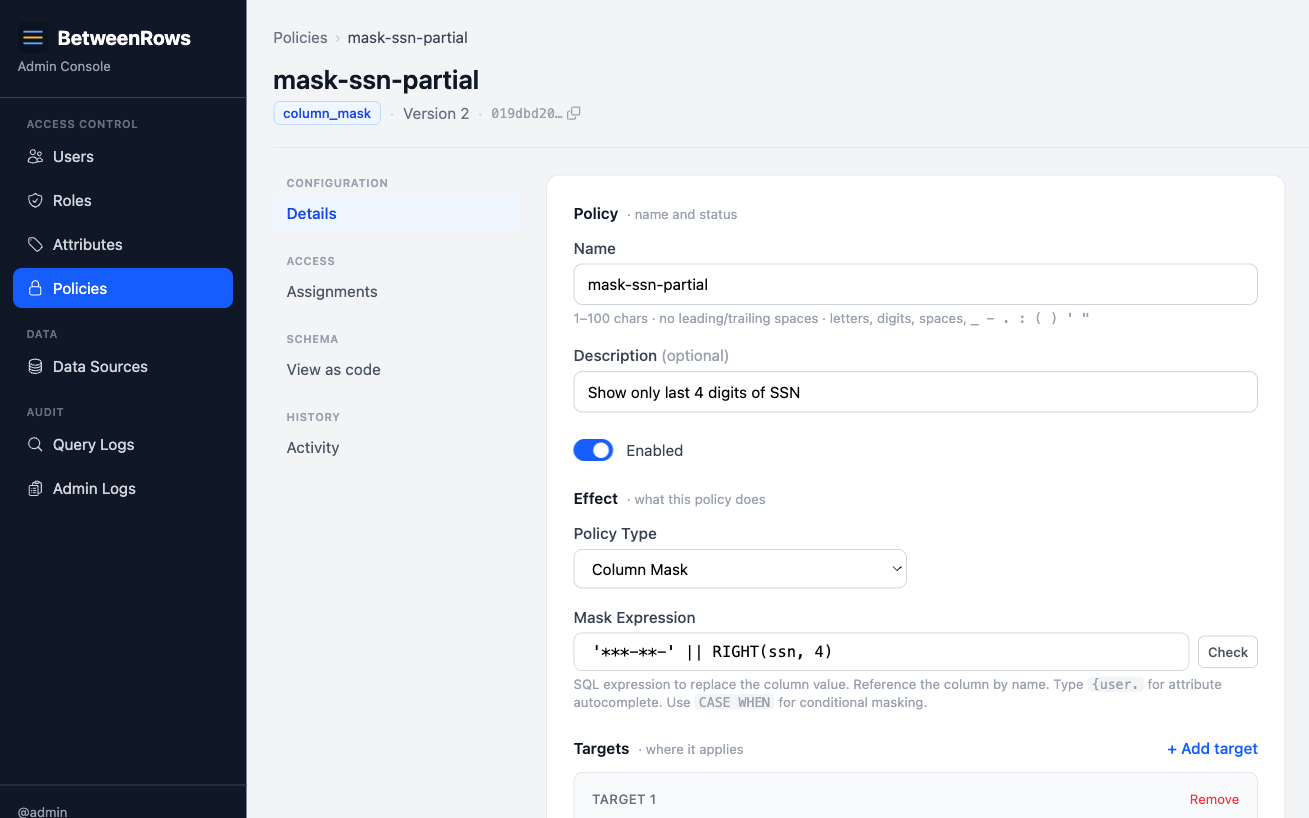
This tutorial uses the demo schema. The goal: mask customers.ssn to show only the last 4 digits.
1. Create the policy
Go to Policies → Create:
- Name:
mask-ssn-partial - Type:
column_mask - Targets: schema
public, tablecustomers, columnssn - Mask expression:
'***-**-' || RIGHT(ssn, 4)
2. Assign and verify
Assign with scope: All users on the data source. Then connect:
psql 'postgresql://alice:[email protected]:5434/demo_ecommerce' \
  -c "SELECT first_name, ssn FROM customers LIMIT 3"
first_name | ssn
------------+-------------
Alice | ***-**-1234
Bob | ***-**-5678
Carol | ***-**-9012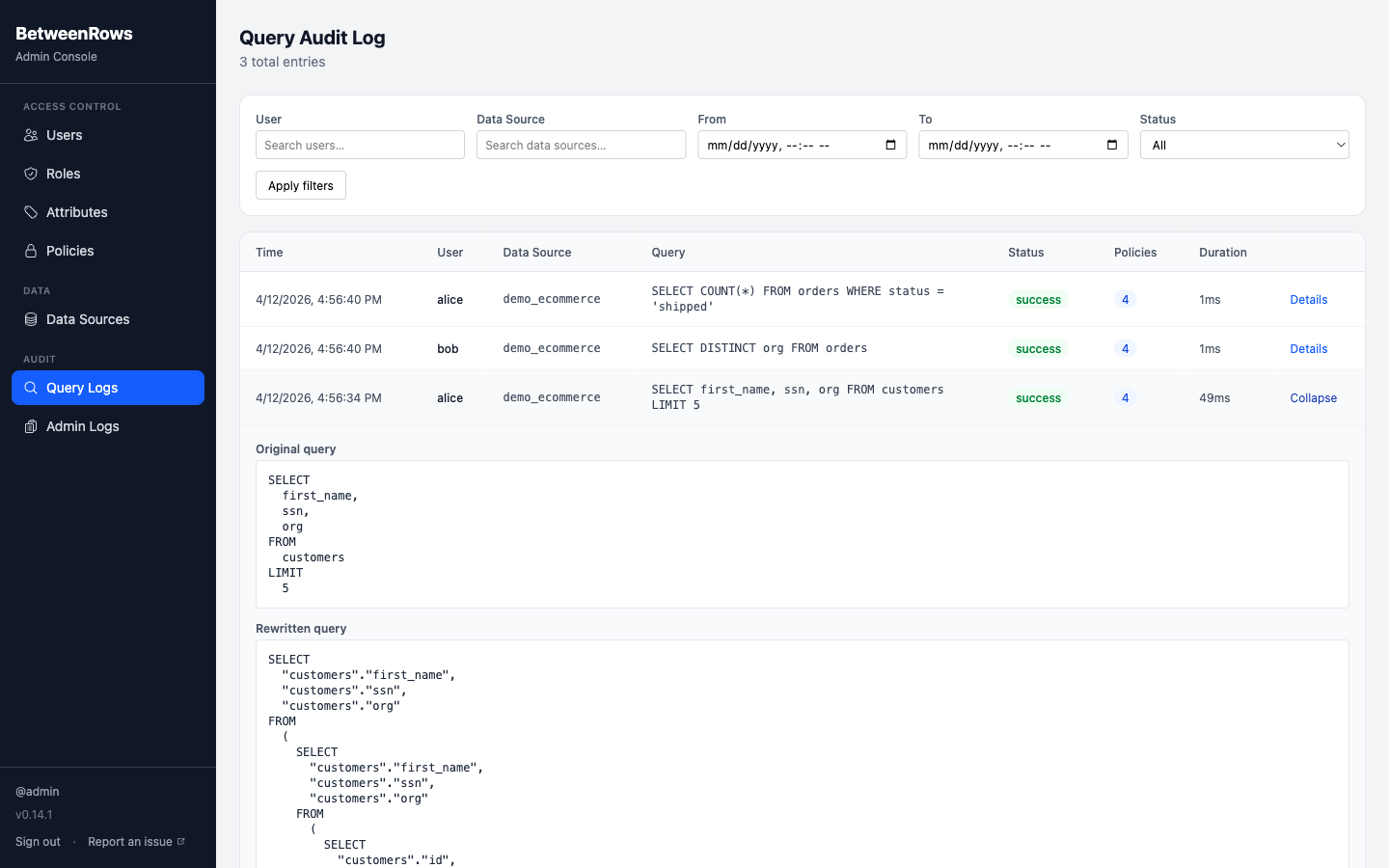
Patterns and recipes
Last-4 SSN
'***-**-' || RIGHT(ssn, 4)Email domain only
'***@' || SPLIT_PART(email, '@', 2)[email protected] → ***@acme.com. Preserves domain for grouping while hiding the individual.
Full redaction (constant)
'[RESTRICTED]'Replaces the value with a constant string. The column still exists in the schema and can be referenced in expressions, but every row returns the same value.
NULL-out
NULLReplaces the value with SQL NULL. Aggregates like COUNT(column) will skip these rows.
Conditional by role/department
CASE WHEN {user.department} = 'hr' THEN ssn ELSE '***-**-' || RIGHT(ssn, 4) ENDHR users see the real SSN; everyone else sees the masked version. The {user.department} variable is resolved from the user's attribute.
Hash (one-way)
LEFT(MD5(ssn), 8)Produces a consistent hash — same input always produces the same output. Useful for JOIN keys where you want to link records across tables without exposing the raw value.
Composition
Masks + row filters
Row filters evaluate raw (unmasked) values. A filter on salary > 50000 sees the real salary even if a mask replaces it with 0 in the results. This is safe by design — the filter decides which rows appear, and the mask decides what value the user sees.
Downstream expressions see the masked value
If you SELECT masked_col || '!' FROM t, the concatenation operates on the masked value, not the raw. Function calls, CASE expressions, and any computed columns downstream of the mask all see the masked version.
Multiple masks on the same column
If two column_mask policies target the same column, the one with the lowest priority number wins. Use distinct priorities to control which mask applies. If priorities are equal, the ordering is undefined.
Masks + column deny
If a column_deny removes a column, a mask on the same column is irrelevant — the column doesn't exist in the user's schema.
Limitations and catches
- Masks do not block predicate probing. A user can write
WHERE salary > 100000and infer information from the row count, even though thesalarycolumn shows a masked value. If this is a concern, usecolumn_denyto remove the column entirely, or combine with arow_filterto restrict which rows are visible. - Masks do not block aggregate inference.
AVG(salary)operates on the masked value (which may be a constant like0), butCOUNT(*)with aWHERE salary > Xfilter still reveals information. For sensitive aggregates, deny the column. - One column per target entry. Each target in a
column_maskmust specify exactly one column. To mask multiple columns on the same table, use multiple target entries or multiple policies. - The mask expression must be valid SQL. It is validated at save time against the DataFusion expression parser. Unsupported functions return 422.
→ Full list: Known Limitations
Troubleshooting
- Mask not applied — check: policy
is_enabled, assigned to the data source, target schema/table/column match exactly. Inspectrewritten_queryin the audit log — the mask appears as a transformed expression in the SELECT list. - Wrong mask applied — check priority numbers if multiple masks target the same column. Lowest priority wins.
- Expression error on save — the mask expression contains unsupported SQL syntax. See Template Expressions → Supported SQL syntax.
→ Full diagnostics: Audit & Debugging · Troubleshooting
See also
- Policies overview — when to mask vs. deny, structural shape, validation rules
- Column Allow & Deny — for removing columns entirely
- Template Expressions — expression syntax and
{user.KEY}variables