
Users & Roles
Users are the identities that connect through the BetweenRows proxy. Roles group users for policy assignment. Together they form the RBAC layer — who gets access to what.
Purpose and when to use
Create users for every person or service account that will connect through the proxy. Create roles when you want to assign the same policies to a group of users without repeating per-user assignments. Roles support inheritance, so you can build hierarchies (e.g., analyst inherits from viewer).
Field reference
User fields
| Field | Type | Required | Default | Notes |
|---|---|---|---|---|
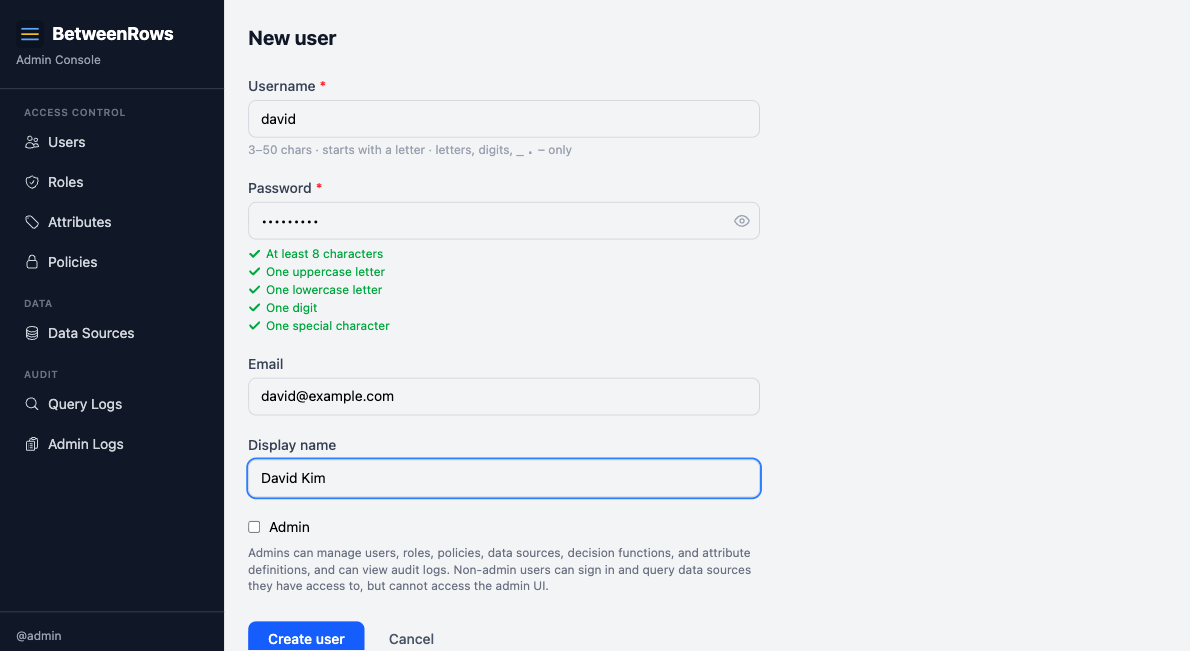
username | string | Yes | — | 3–50 characters, alphanumeric + ._-, must start with a letter. Used in connection strings: psql postgresql://<username>:...@proxy:5434/ds. |
password | string | Yes | — | Stored as Argon2id hash. Must meet complexity requirements (8+ chars, upper/lower/digit/special). |
email | string | No | — | Optional contact email. Admin-facing only — not used for authentication or notifications. |
display_name | string | No | — | Optional human-readable label shown alongside the username in the admin UI. Does not affect authentication or policy matching. |
is_admin | boolean | No | false | Grants access to the admin UI and REST API. Does not grant data plane access — admin and data access are separate planes. |
is_active | boolean | Edit only | true | Deactivated users cannot authenticate on either plane. Existing proxy connections fail on the next query. |
attributes | JSON object | No | {} | Custom key-value pairs for ABAC. See User Attributes. |
Role fields
| Field | Type | Required | Default | Notes |
|---|---|---|---|---|
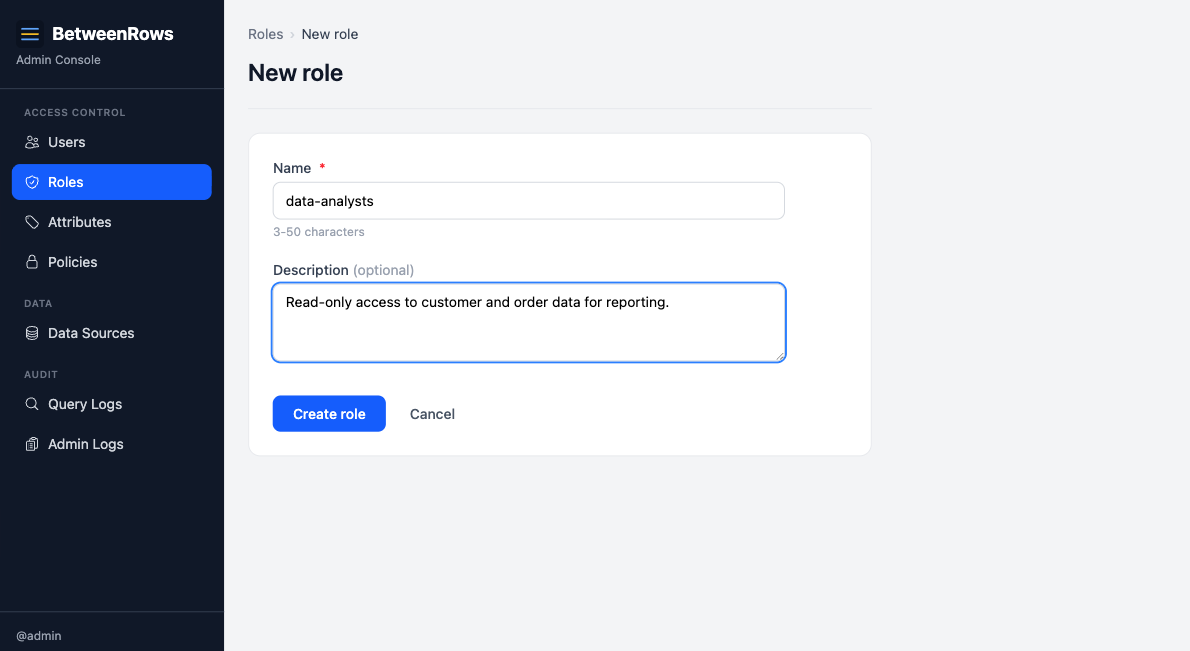
name | string | Yes | — | Unique identifier for the role. |
description | string | No | — | Admin-facing documentation. |
is_active | boolean | Edit only | true | Inactive roles do not apply to members — see Deactivation cascades below. |
Step-by-step tutorial
These steps use the demo schema personas. Substitute your own users.
Create a user
- Go to Users → Create in the admin UI.
- Enter username
aliceand a password meeting the complexity requirements. - Leave
is_adminunchecked (alice is a data plane user, not an admin). - Save.
- Edit alice to set her attributes — e.g.,
tenant: "acme". See User Attributes for the full workflow.
Grant data source access
On the data source page, add alice in the User Access section (or grant via a role — see below).
Admin ≠ data access
is_admin = true grants access to the admin UI and API. It does not grant any data plane access. Every user — including admins — must be explicitly granted access to each data source.
Create a role
- Go to Roles → Create.
- Enter name
analystand an optional description. - Save.
Add members to a role
On the role detail page, add users in the Members section. Alice is now a member of analyst.
Set up role inheritance
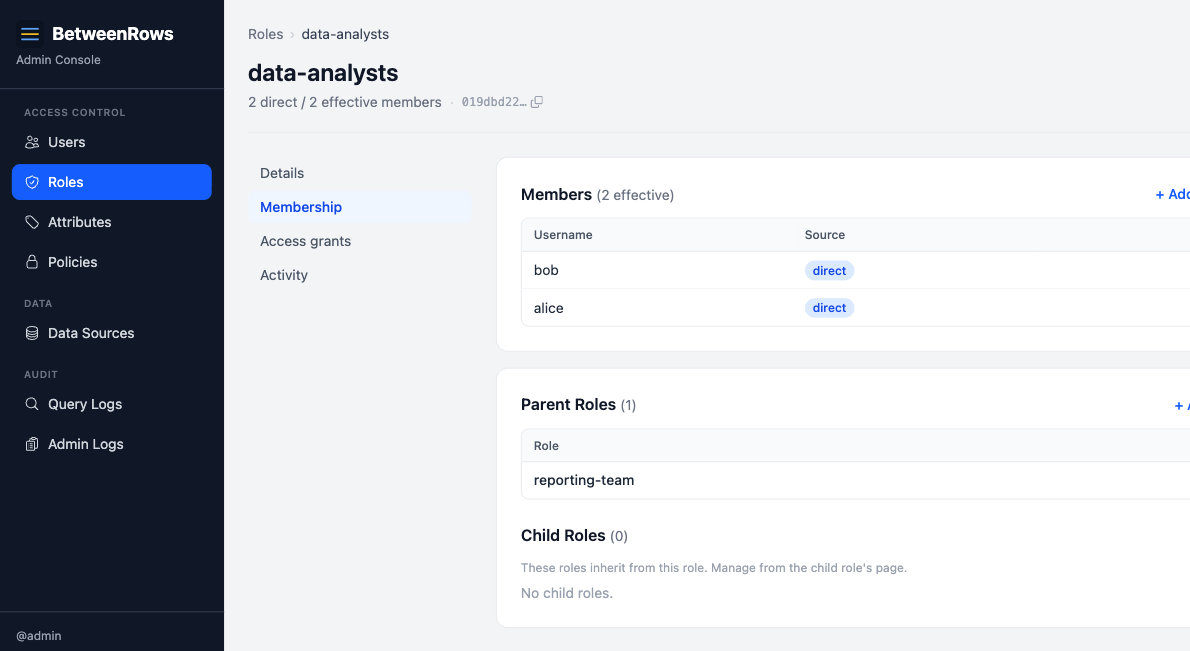
Roles can inherit from parent roles, forming a DAG (directed acyclic graph).
- On the
analystrole page, go to Parents and addvieweras a parent. - Now
analystinherits all policy assignments fromviewer, plus its own.
Assign policies via roles
On a data source page, assign a policy with scope: role and select analyst. All members of analyst (direct + inherited) receive that policy.
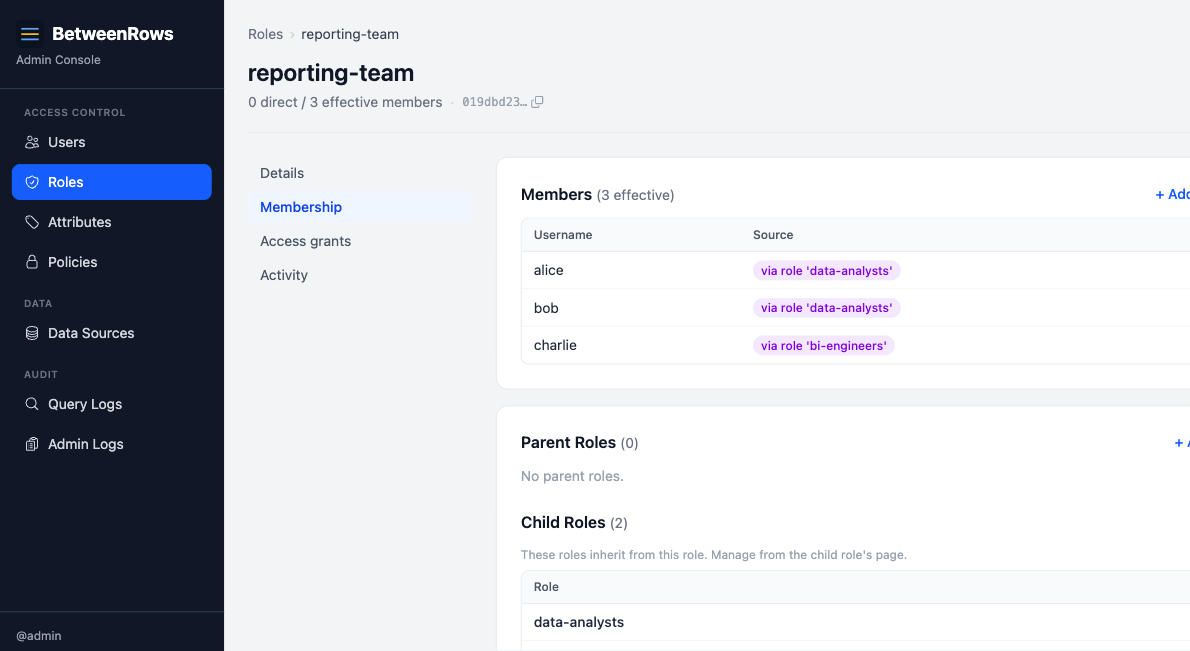
Check effective members
On any role page, the Effective Members tab shows all users who receive the role's policies — both direct members and those who inherit through child roles. Each entry shows the source (e.g., "direct" or "via role 'viewer'").
Patterns and recipes
Policy assignment scopes
| Scope | Target | Meaning |
|---|---|---|
user | A specific user | Policy applies to that one user only |
role | A specific role | Policy applies to all members (direct + inherited) |
all | — | Policy applies to every user on the data source |
When the same policy is assigned at multiple scopes to the same user, BetweenRows deduplicates and keeps the assignment with the lowest priority number (highest precedence).
Role hierarchy example
admin-role
├── manager
│   └── analyst (alice, bob)
└── auditor (charlie)
Alice (member of analyst) inherits policies from analyst, manager, and admin-role. Charlie (member of auditor) inherits from auditor and admin-role but not from manager or analyst.
Per-datasource role access
Roles can be granted data source access just like users. Grant analyst access to production_db, and all members of analyst can connect to that data source.
Composition with other features
- User attributes (
{user.tenant},{user.department}) are set on users, not roles. Template variables always resolve from the user. See User Attributes. - Data source access can be granted per-user, per-role, or scope-all. Role-based access includes inherited members.
- Policy assignments use the same three scopes. Role-scoped assignments apply to all effective members.
Limitations and catches
Inheritance rules
- Cycle detection: adding a parent that would create a cycle is rejected with HTTP 409. BetweenRows checks reachability in both directions before allowing the edge.
- Depth cap: inheritance chains are capped at 10 levels. This prevents pathological resolution in large role hierarchies.
- BFS resolution: role membership is resolved breadth-first, collecting all ancestor role IDs for a user. This is the set of roles whose policy assignments apply to the user.
Deactivation cascades
- Deactivating a user (
is_active = false): the user cannot authenticate. Existing sessions fail on the next query. - Deactivating a role: the role stops applying to all members. Critically, deactivating a middle role breaks the inheritance chain for all descendants. In a chain
admin-role → manager → analyst, deactivatingmanagermeansanalystmembers lose access toadmin-role's policies — because the resolution stops at inactive roles and does not traverse their parents. - Deactivation takes effect immediately for all connected users — no reconnect needed.
Deny always wins across roles
If a user is in two roles and one role's policy denies access while the other allows it, deny wins. Multiple role memberships can never expand access beyond what each role individually grants. This is a core security invariant.
Template variables resolve from the user, not the role
{user.tenant} always returns the user's attribute value, never a role's hypothetical attribute. Roles don't carry attributes — they're purely for grouping policy assignments.
→ Full list: Known Limitations
Troubleshooting
- User can't connect — check:
is_active, data source access granted, correct password, correct data source name in connection string. - Role policy not applying — check: role
is_active, user is a member (direct or inherited), the inheritance chain has no deactivated middle roles. - Effective members shows unexpected users — check inheritance; a user may reach the role through a path you didn't expect. Use the Effective Members tab to trace the source.
→ Full diagnostics: Troubleshooting · Audit & Debugging
See also
- User Attributes (ABAC) — define and assign custom attributes for policy expressions
- Policies overview — how to assign policies to users and roles
- Audit & Debugging → Admin audit log — admin audit tracks user/role mutations